
When a Mac will not start, the files inside are usually what matters most. We recover data from every kind of Mac, from old hard drives and Fusion Drives to the encrypted storage in Apple silicon and T2 Macs, including the 2026 MacBook Neo, MacBook Air and MacBook Pro.
Why modern Mac recovery is different
On Macs with Apple silicon (M1 to M6 and the A18 Pro in the MacBook Neo) and Intel Macs with the T2 chip, storage is soldered to the logic board and encrypted by the chip. It cannot be removed and read in another computer. The only reliable way to recover the data is to repair the logic board so the Mac can start and unlock its own storage. That is board-level repair, and it is what our engineers specialise in.
 MacBook Data Recovery
 MacBook Air Data Recovery
 MacBook Pro Data Recovery
 PowerBook G4 Data Recovery
 iMac Pro Data Recovery
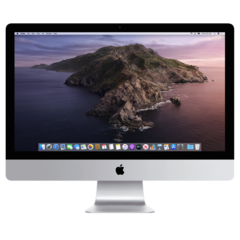 iMac Data Recovery
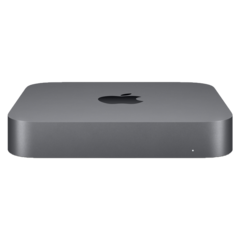 Mac Mini Data Recovery
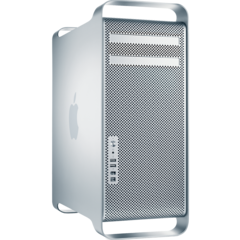 Mac Pro Data Recovery
Macs and storage we recover from
- Apple silicon MacBook Neo, MacBook Air, MacBook Pro, iMac, Mac mini and Mac Studio.
- Intel Macs with the T2 chip (2018 to 2020).
- Older Macs with removable SSDs or hard drives.
- iMac and Mac mini Fusion Drives.
- External drives, Time Machine backups and RAID and NAS storage used with Macs.
Common data loss situations
- Mac will not turn on after liquid damage or a power surge.
- Folder with a question mark, or stuck on the Apple logo.
- Clicking, failed or very slow hard drive.
- Deleted files or a formatted drive.
- Failed macOS update or corrupted APFS container.
What you should do now
Stop using the Mac and do not reinstall macOS or reset it. Each attempt can make recovery harder. Bring it in, and we will assess it and tell you what can be recovered and the cost before any recovery work starts.
Frequently asked questions
Can you recover data from a MacBook that will not turn on?
Usually, yes. We repair the logic board so the Mac can start and decrypt its own storage, and then we copy your files off.
Can the SSD be removed from my MacBook to get the data off?
Not on Apple silicon or T2 Macs. The storage is soldered to the board and encrypted, so the board must work for the data to be read.
Do I need my password?
Yes. For encrypted Macs, your login password or FileVault recovery key is needed to unlock the data once the Mac is working.
Book your Mac data recovery
Drop your device at our London Bridge repair centre, book a drop-off at our Beckenham centre (by appointment), or arrange a collection. Book your repair online, call 020 7237 6805 or send us a message. We are open Monday to Saturday, 9am to 6pm.